

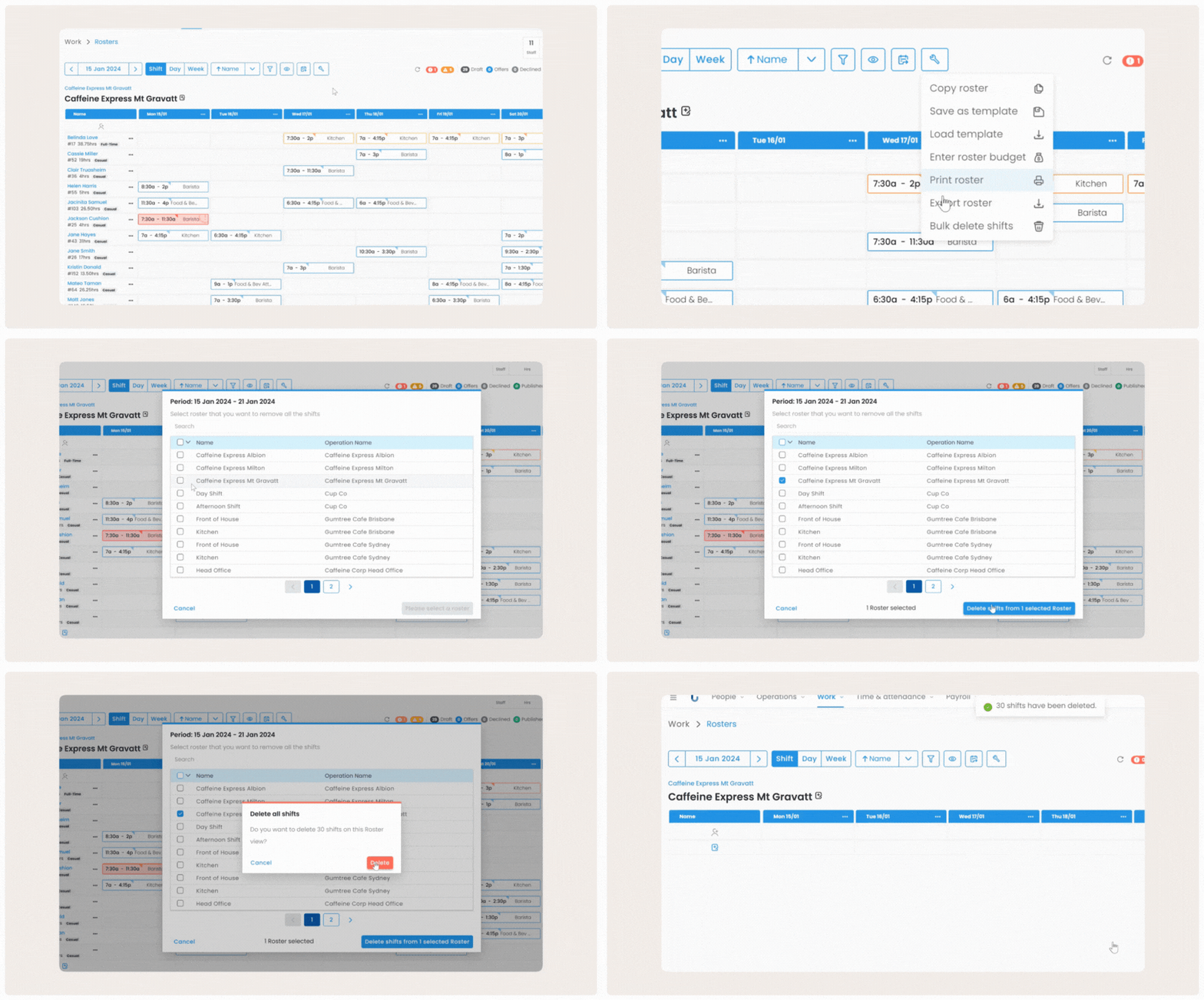
Now easily remove all shifts on a specific roster or multiple rosters with just a few clicks!
Should you need to remove all shifts from a roster, you can do so using the new Bulk Delete shifts option in your Roster Tools menu. A good use case for this option would be if you had applied a Roster Template to the wrong week in error.
View more information on deleting shifts from a roster and instructions here.
Comments
0 comments