
Better Roster Budget Tracking
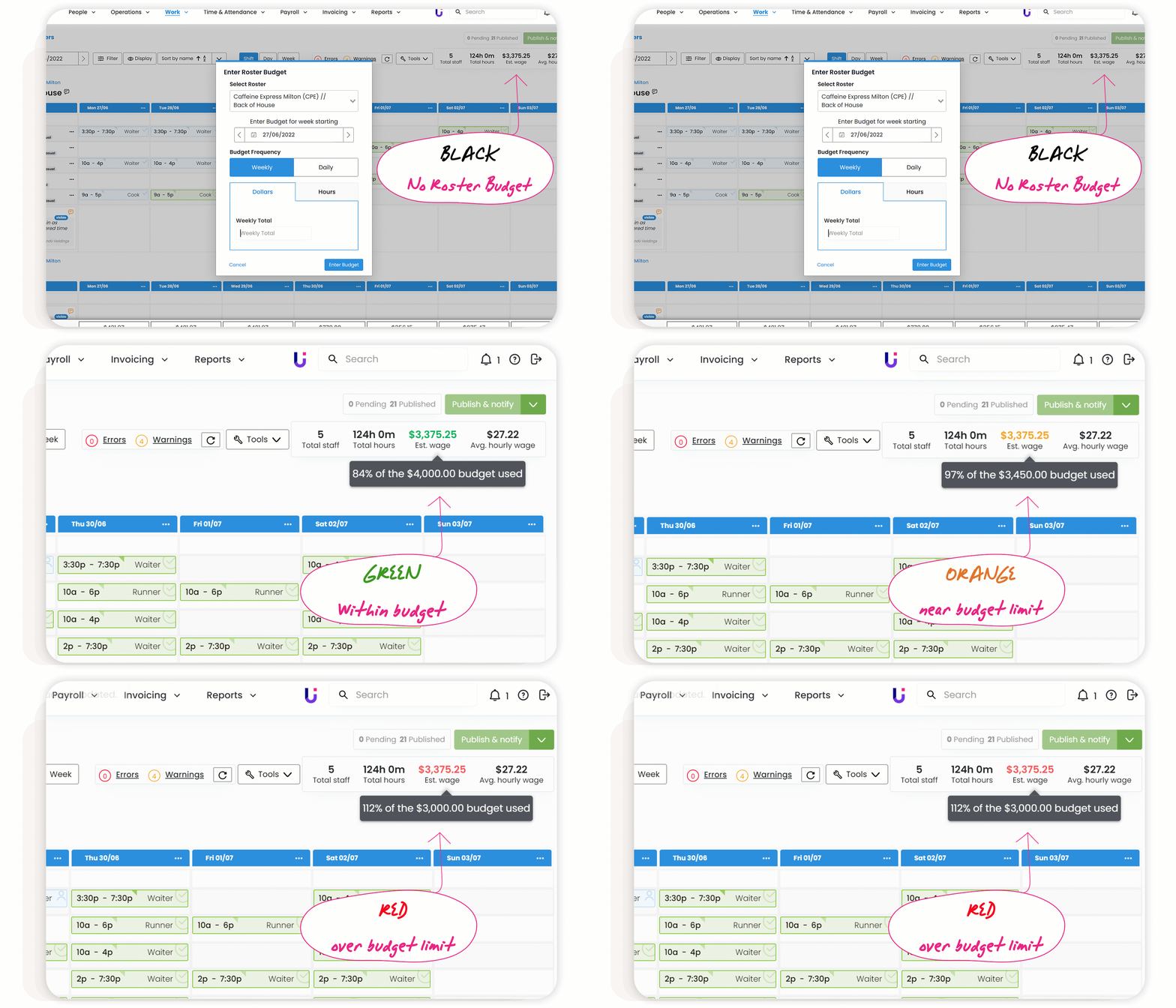
Easily track how you are going with your budget as you build your roster through the new colour code display. Hover over the 'Est. wage' to see the percentage of the budget used.
Black = No budget entered
Red = Over budget
Orange = Close to limit
Green = Under budget
Hot tip! If you haven't used roster budgets before, learn how to add them there.
Comments
0 comments