

Better visibility for cancelled shifts and more control copying your roster
Cancelled shifts now give you more control, better records, and faster comms. You also now have more control and options when copying your roster.
Instant cancellation comms: Cancelling a shift from the shift card menu now sends the cancellation communication straight away so employees are informed immediately, not at publish time.
Cancelled Shift history stays: Cancelled shifts remain on your roster permanently, so you can always access their full history even after publishing.
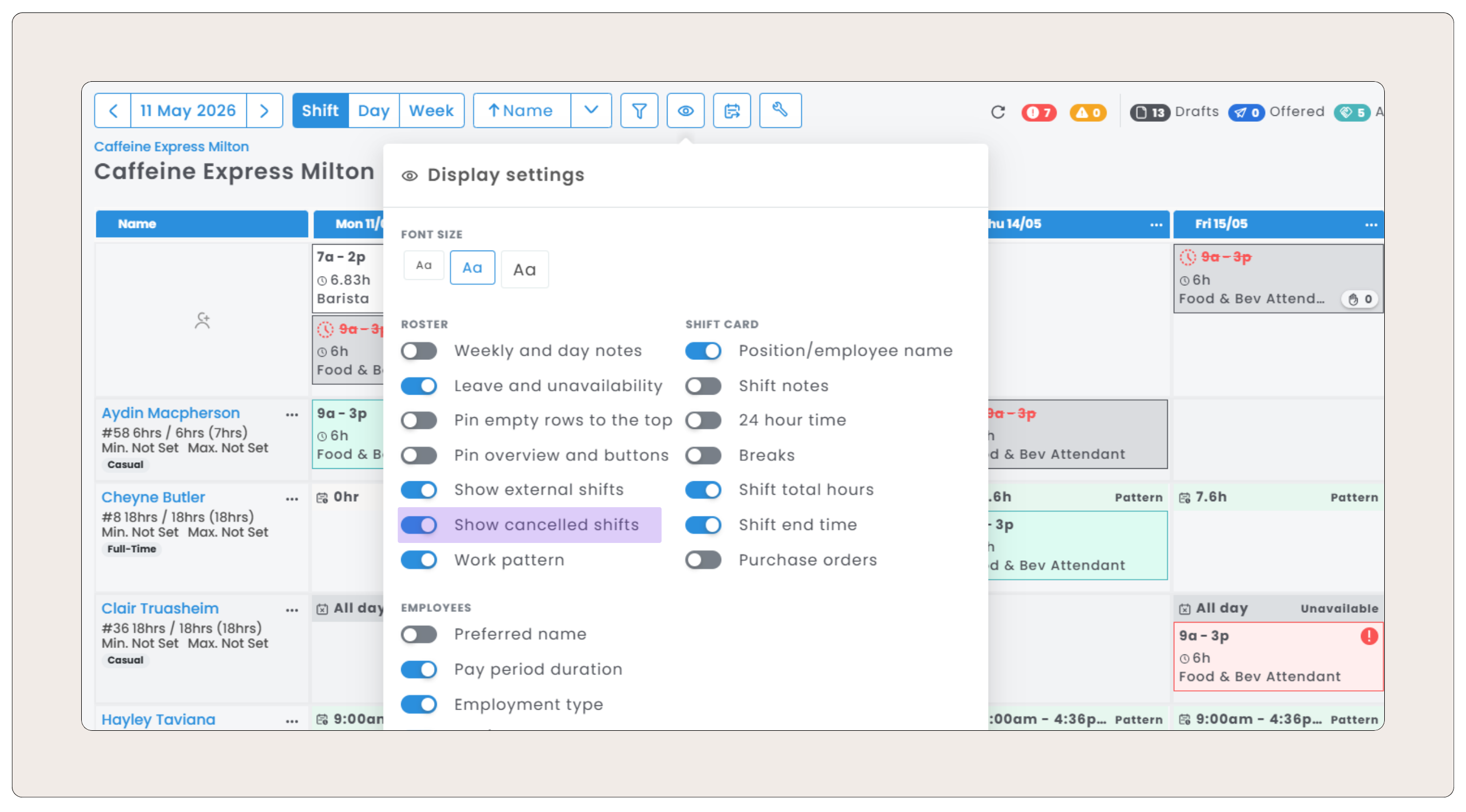
New Display Setting - 'Show Cancelled Shifts': Choose whether cancelled shifts are visible on your roster. Turn it on to access their history, or keep it off for a cleaner view.
More options when copying your roster: Copy Roster now lets you choose how shifts are copied - 'Automatic' (preserves existing shift types), 'Assigned' (All shifts copied as assigned), or 'Offered' (All shifts copied as draft offered shifts).
Comments
0 comments