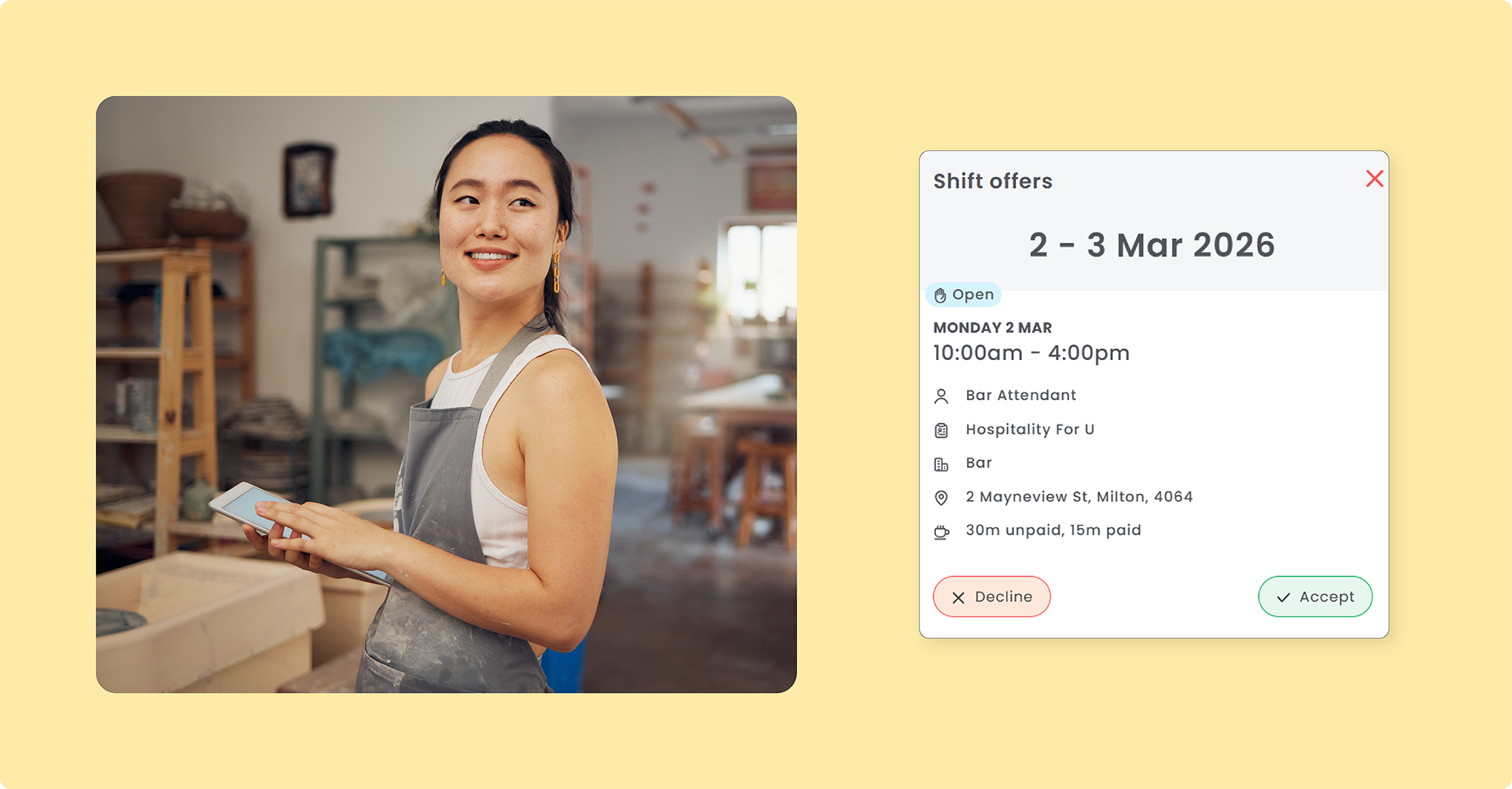
Coming Soon! Open Shifts & Shortlists
Filling roster gaps is about to get a whole lot faster! Open Shifts, Shortlists, and smarter publishing tools are coming soon - designed to reduce the back-and-forth and put you in control of every shift decision. Here's what's coming:
-
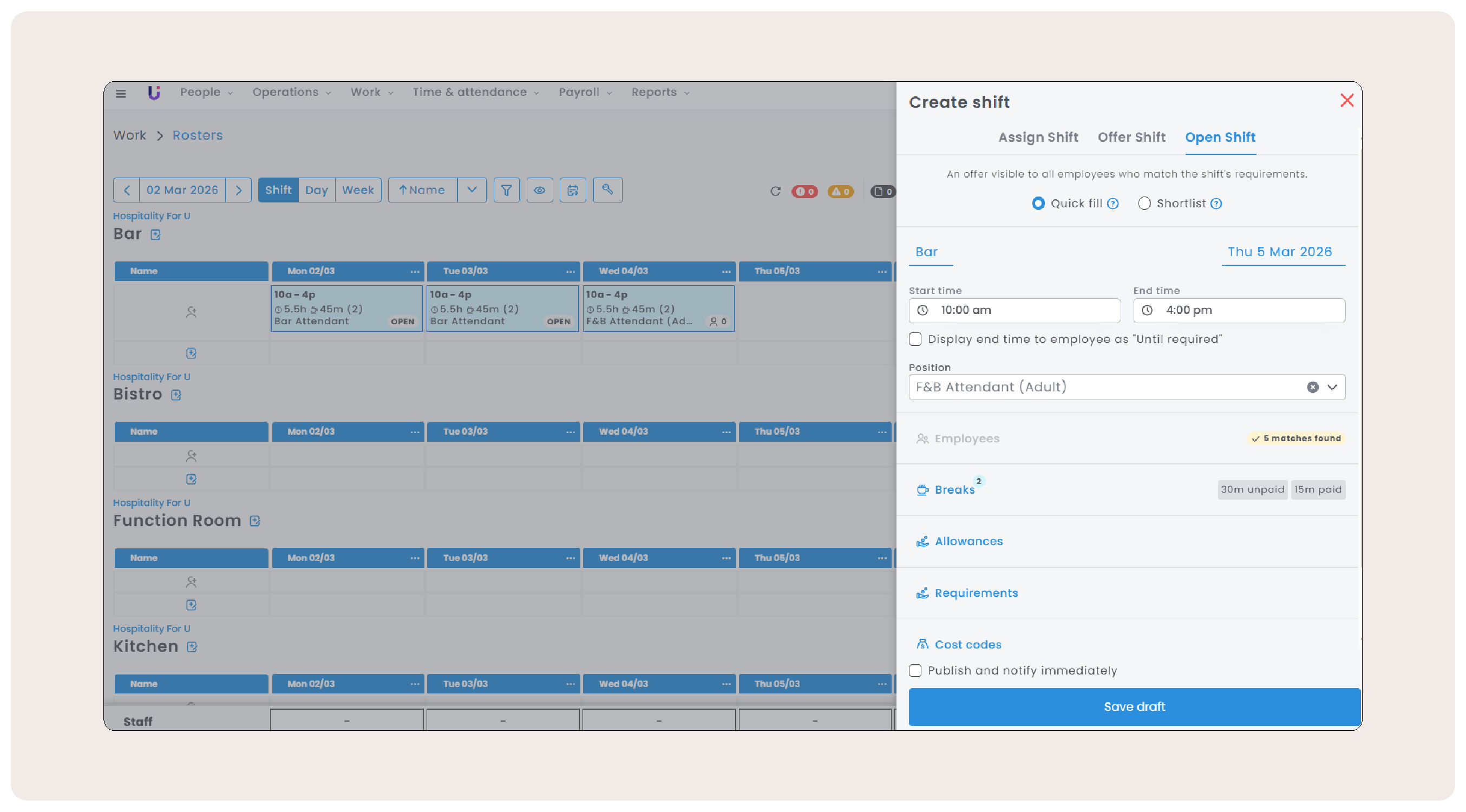
Open & Shortlisted Shifts: Broadcast shifts to qualified employees instantly, or shortlist to hand-pick the right person.
-
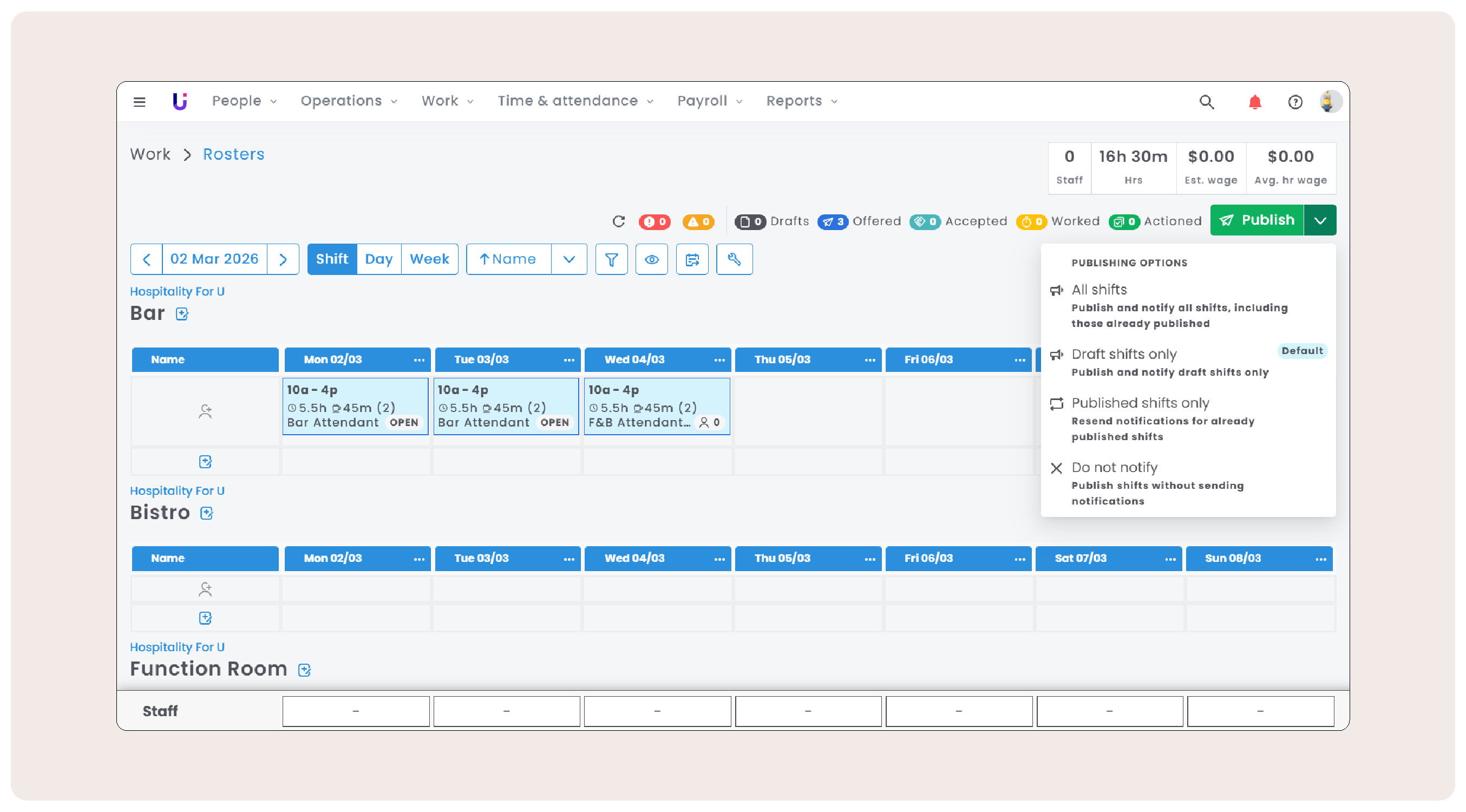
Publishing Improvements: Publish individual shifts, a selection, or your entire roster - whatever suits the moment.
-
Employee App Updates: Employees accept or request shifts directly in the app, with real-time confirmations for everyone.
-
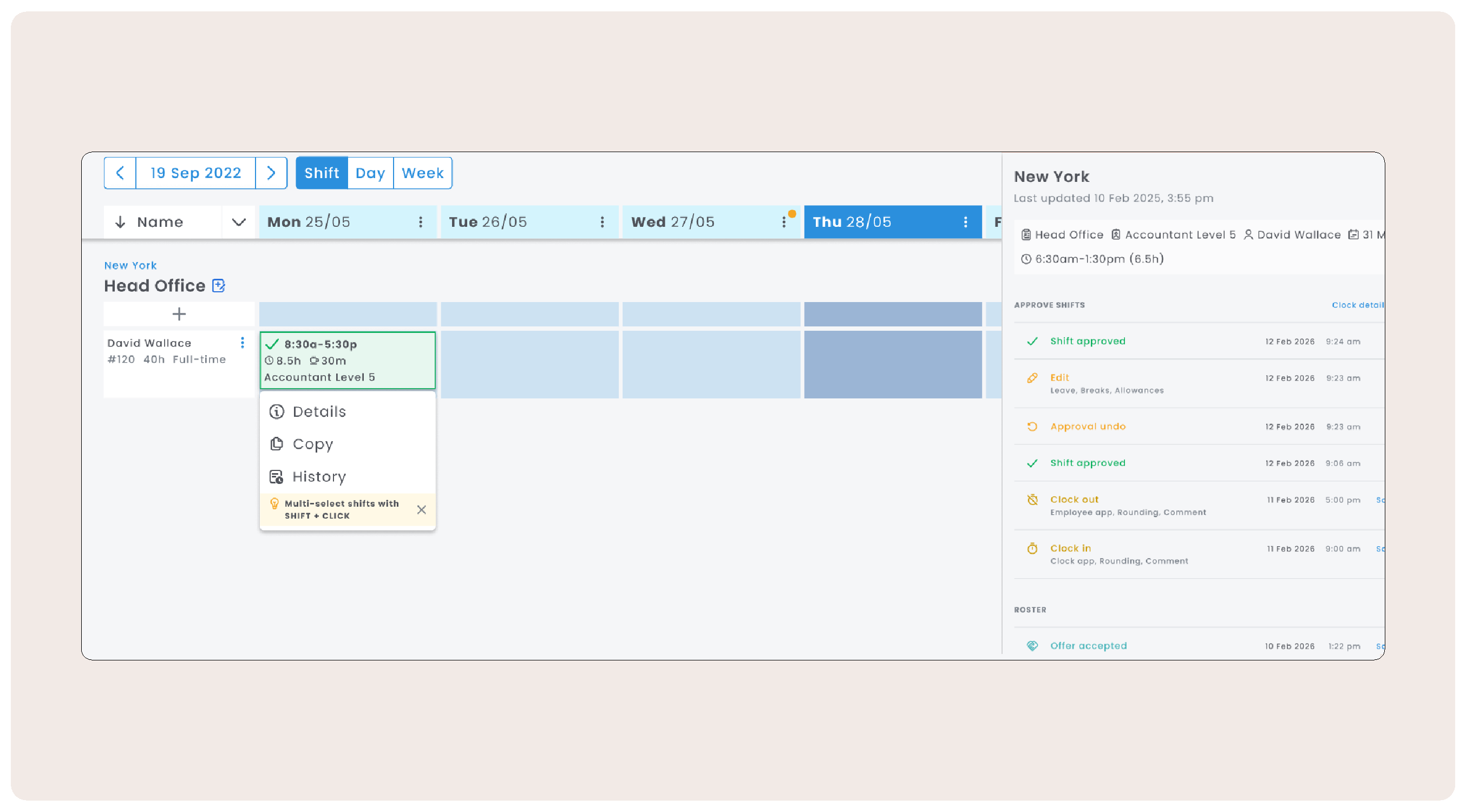
Shift History: Track actions against a shift from the Roster and Approve Shifts views.
-
Open & Offered Shifts Report: New report which includes the new shift types, status and response times.
Sneak peek - The Roster Manager Experience
|
|
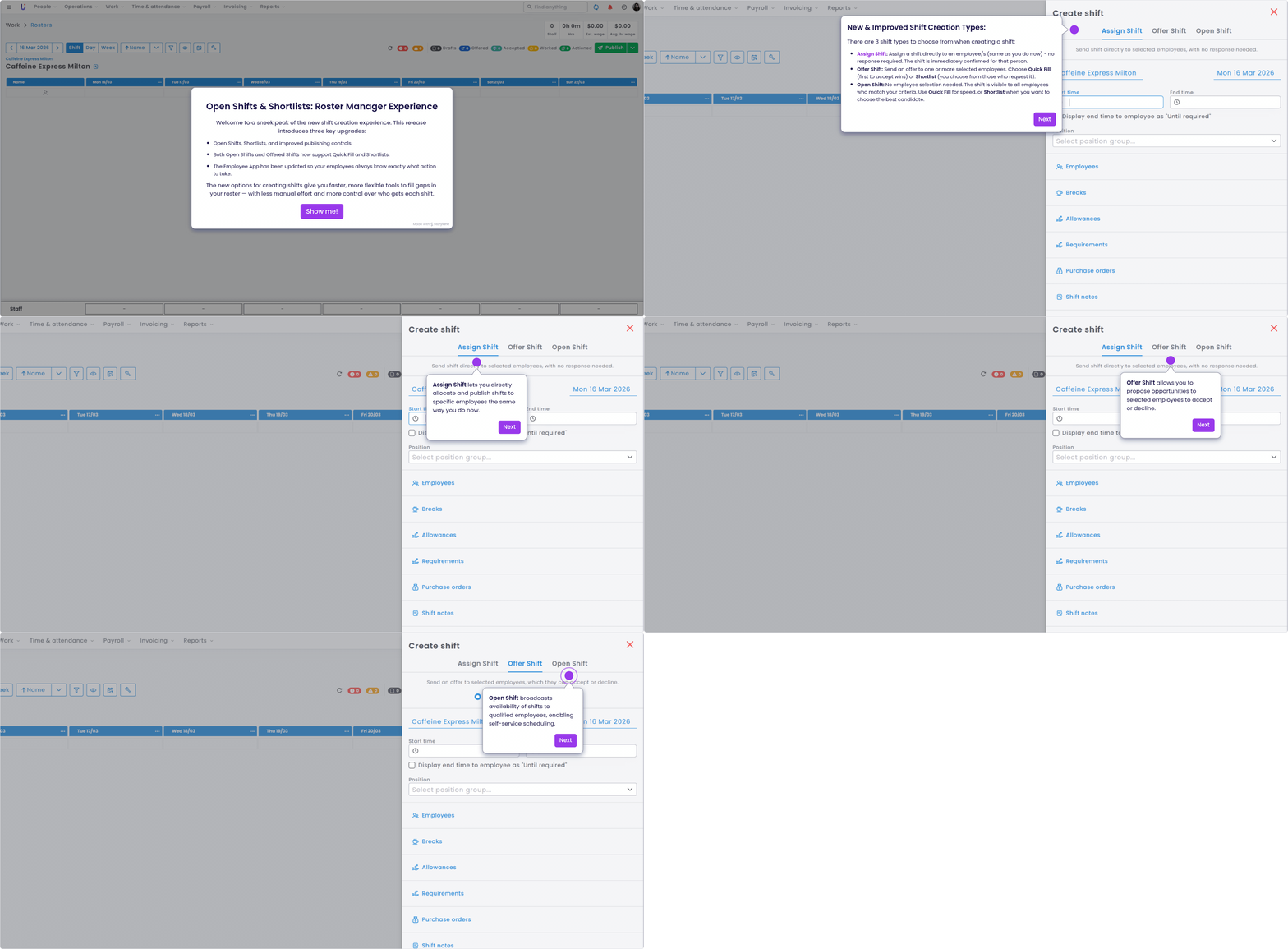
See the new shift types and workflows in action. The walkthrough above covers the updated shift creation and publishing options:
- Shift types - Assign, Offer, and Open.
- Filling shifts - Quick Fill and Shortlists to reduce manual effort.
- New publishing options for more control over your roster.
- Shift status and tracking of the new shift types.
Watch the full walkthrough
Sneak peek - The Employee Experience
|
|
|
|
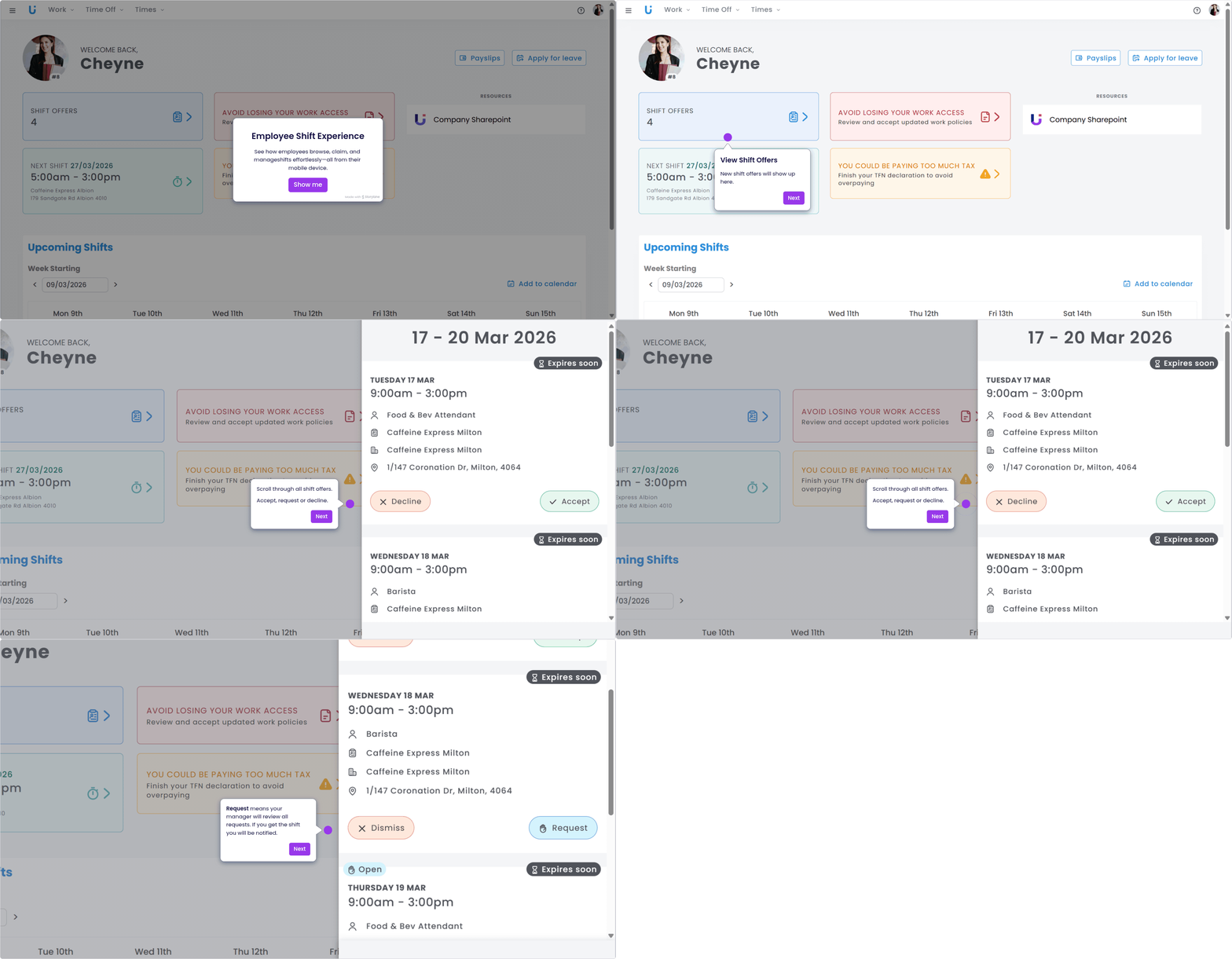
See the experience from your employees' perspective - from shift offer to confirmation, all within the Employee App:
- Accepting or declining offered shifts with ease
- Requesting to fill open shifts in just a few taps
- Viewing confirmed shifts
Watch the full walkthrough
|
|
|
|
|
Before rolling out Open and Shortlisted shifts, a little preparation goes a long way. Here's what we recommend for a smooth transition:
-
Turn on push notifications:Tthe fastest way to keep employees informed of shift updates in real time, saving you time and reducing back-and-forth.
-
Enable SMS notifications: If you’re not currently using SMS, consider turning it on to keep employees informed about shift updates quickly and reliably, often faster than email.
- Give employees a heads up: Let them know about the new shift options and what to expect. A bulk email and an in-app announcement are a great combination to make sure no one's caught off guard.
Shift History - Coming Soon!
|
|
Soon you’ll be able to easily track the life cycle of your shifts from both your Roster and Approve Shifts views. Track actions taken on a shift along with who made the change for simple and transparent auditing.
|
Do you have any questions or feedback about the new shift creation and publishing workflows? If so, let us know here and stay tuned for when the updates are live!
|
|
|
|
|
|
|
|

Comments
0 comments