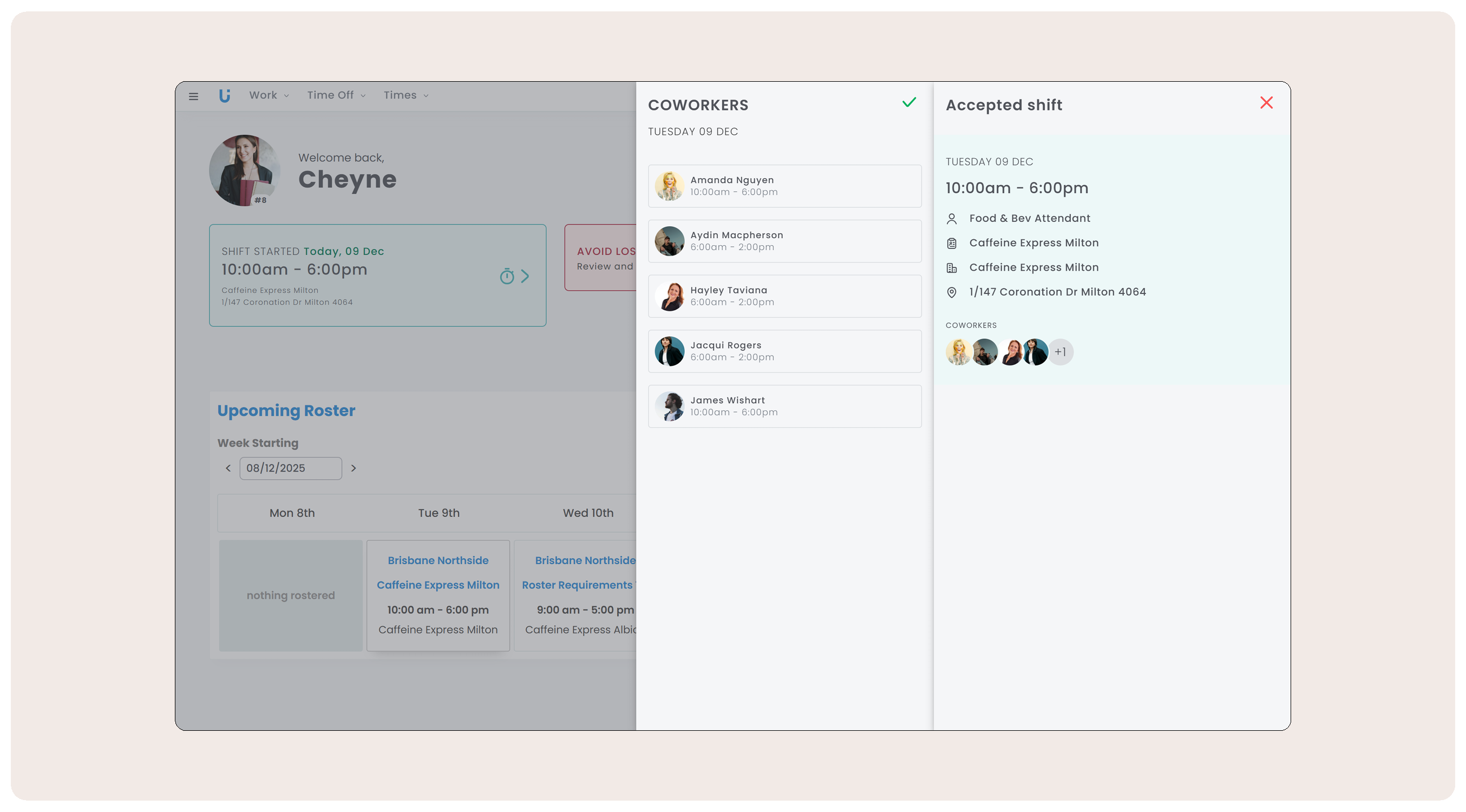
Say hello to the upcoming Coworker View! It gives employees instant visibility of their shift buddies at a glance, right in the Employee App. Plus, the app is getting a mini facelift to make staying on top of work details easier.
New Coworker View: Employees can see who they share or overlap shifts with to plan and coordinate more easily - think carpooling, shift swaps, and break coverage.
Coworker View Setting: Turn Coworker View on or off anytime in Work Settings. Choose to show Coworkers on the same roster or anyone working in the same operation, and decide whether to display shift times.
Employee App Facelift: A cleaner, faster way for employees to view their schedule at a glance, including next-shift details, required actions, upcoming work, and clocking info.
How the new Coworker View setting works:
Managing Coworker view is as easy as heading into Work Settings, turning it on or off and selecting your preferences. Choose between:
Coworker view per Roster or entire Operation.
If shift times should be visible, or display their name only.



Comments
0 comments