

Coming Soon: More intuitive Clock In icons for Employees
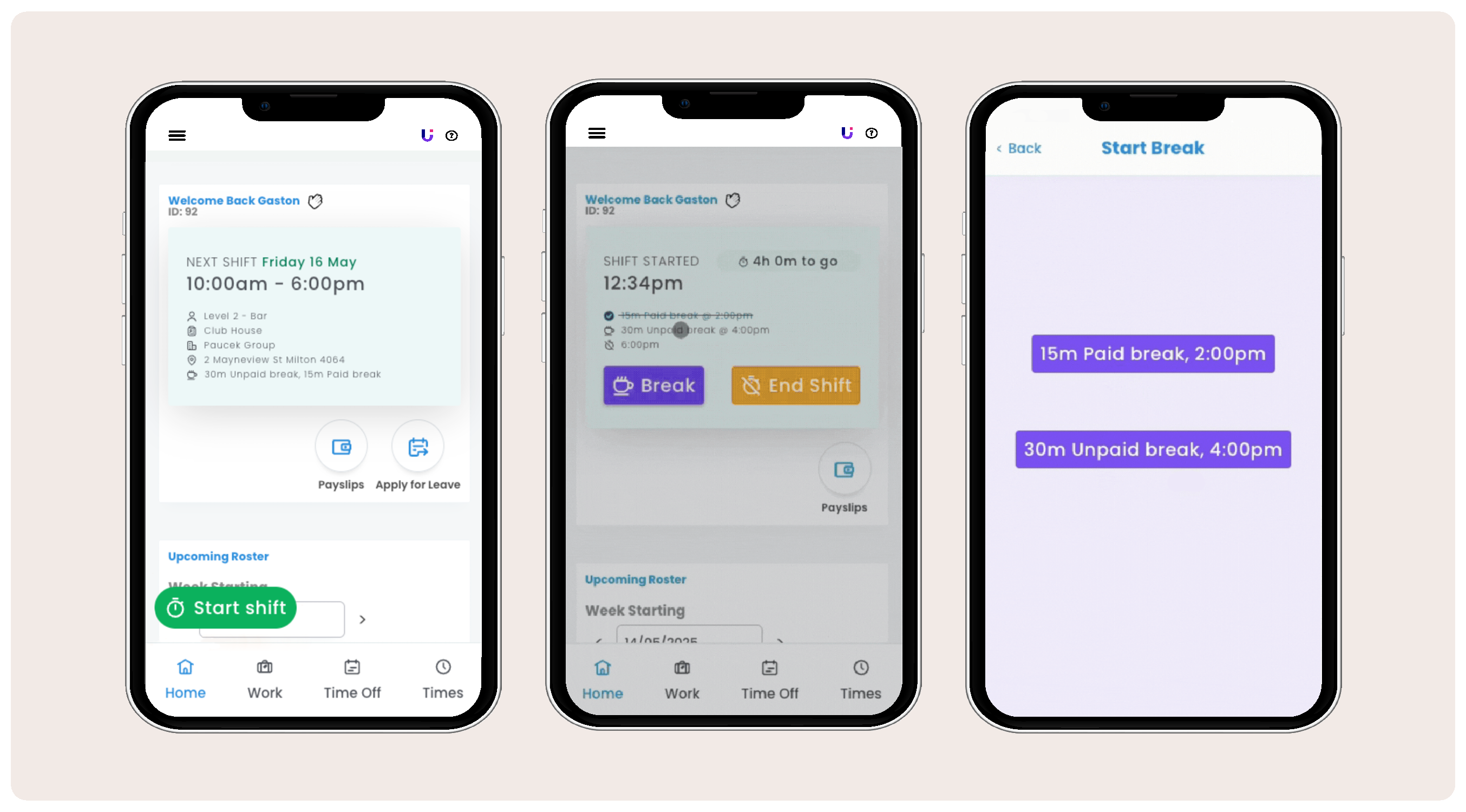
With the much-anticipated release of Multiple Break Management, we've made several user interface enhancements to improve how employees Clock In, add Breaks, and Clock Out in their Employee App.
Now, employees simply need to press the more prominent green 'Start shift' button to clock in, as shown in the image above. The core functionality remains unchanged; these updates are designed to improve the employee experience and make the app more intuitive.
See the full steps with screenshots below and feel free to share this link with employees. It’s also available in their Employee Help Portal.
See the full steps with screenshots below and feel free to share this link with employees. It’s also available in their Employee Help Portal.
Comments
0 comments