We're excited to let you know that soon you will have access to Multiple Break Management available on your Admin platform, the Employee App and the Clock App! With this also comes improvements to the Roster UI.
Multiple Break Management aims to optimise your scheduling process while enhancing compliance and employee satisfaction. We believe your platform can really benefit from this new feature!
Key features:
Advanced Break Customisation: Configure break management to fit your specific award/business requirements.
Flexible Break Options: Easily add multiple paid or unpaid breaks to shifts on your roster according to your needs.
Automated Break Schedules: Configure shift time ranges to automate the number and types of breaks based on various shift lengths.
Break Tracking: Employees can clock in and out for all breaks during their shifts.
Better Oversight and Compliance: This feature provides greater oversight of your employees and improves your record keeping & compliance.
What's changing?
This is what's changing in an nutshell, and keep scrolling for more detail.
New Configuration Settings: Access new settings under Platform Settings > Time & Attendance to customise how the platform handles multiple breaks.
Automatically add breaks to shifts based on their length.
Customise how clocking behaves when rostered breaks are not clocked by employees.
Add Multiple Breaks to Shifts: You can add multiple paid and unpaid breaks to shifts on your rosters.
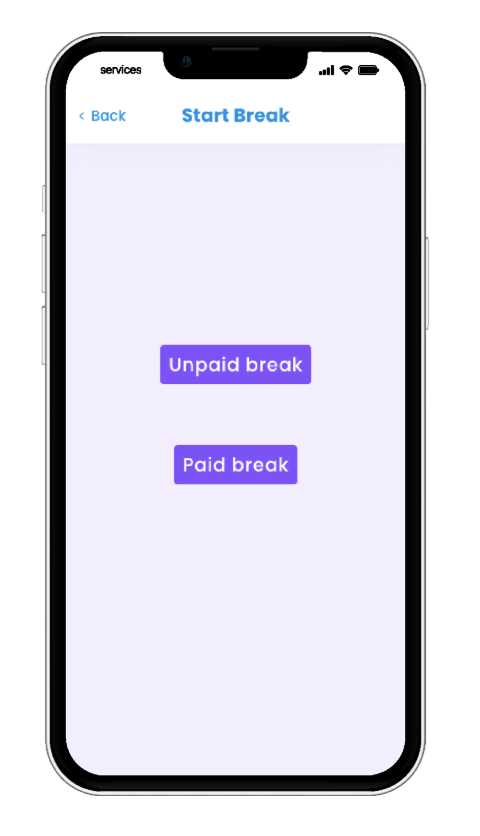
Employee Break Clocking: Employees can clock all rostered breaks, including paid breaks in their Employee App and the Clock App.
Simplified Roster UI: Along with the ability to add multiple breaks to your rostered shifts, shift status' and icons have been simplified for better visibility.
How does it work?
1. Configure Settings: Update 'Breaks' and 'Break Scheduler' in Time & Attendance Settings.
2. Roster Shifts with Multiple Breaks: When rostering, it will now support the creation of shifts with multiple breaks (paid and unpaid). Once shifts are created, clearly view shifts with multiple breaks on the roster.
3. Employees Clock Breaks: Employees can clock multiple breaks via their Employee App or Clock App.
Please note: Upon this release the Clock App will need to be updated to access the new breaks feature.
4. Track & Approve Breaks in Approve Shifts: Easily review, edit and approve shifts with multiple breaks.
Roster UI Simplified
With the new ability to add multiple breaks when adding a shift to the roster, comes improvements to the UI with simplified statuses and icons. You can now hover over icons such as breaks, warnings, leave and public holidays (click the screenshot below) to see the status and details for that shift.
Stay tuned for when Multiple Break Management is released in your platform!






Comments
0 comments